Limit What Actions Are Available in Subtask Grid When Used in Form
In Default forms that use multiple subtask forms, sometimes actions will need to be limited based on the form they being used in. Since subtask workflow applies to all subtasks, Custom JavaScript can be used to limit the actions that are able to be chosen when a user selects actions from the grid and from the form.
Section 1 will cover the subtask actions within the form grid, and Section 2 will cover the subtask actions within the form.
Section 1: Remove Actions from Subtask Grid in Default Form
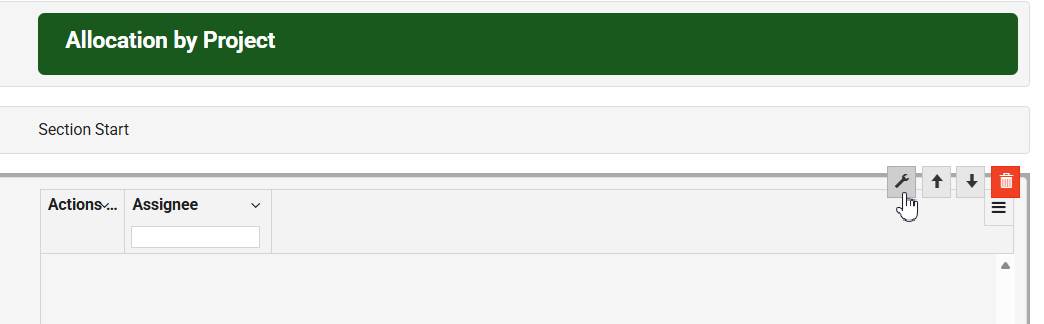
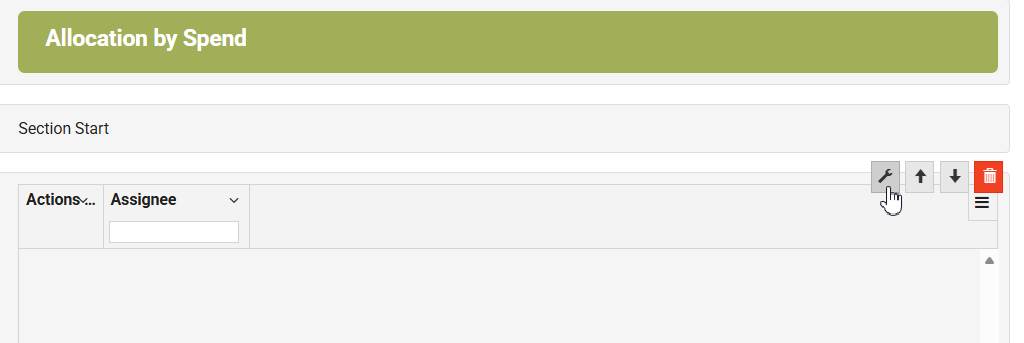
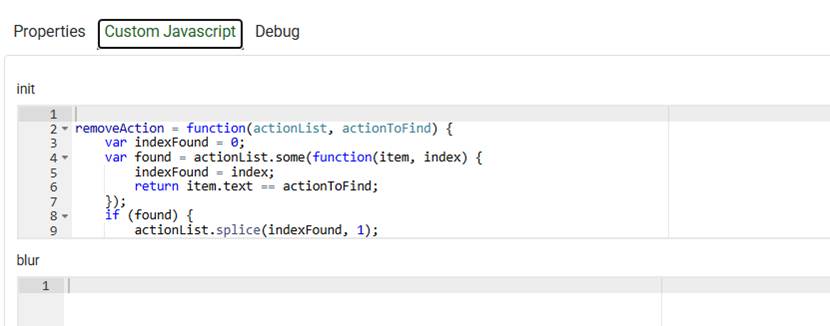
- In the Default Form designer, select the gear wrench to access the subtask form settings. Then select the Custom JavaScript option.
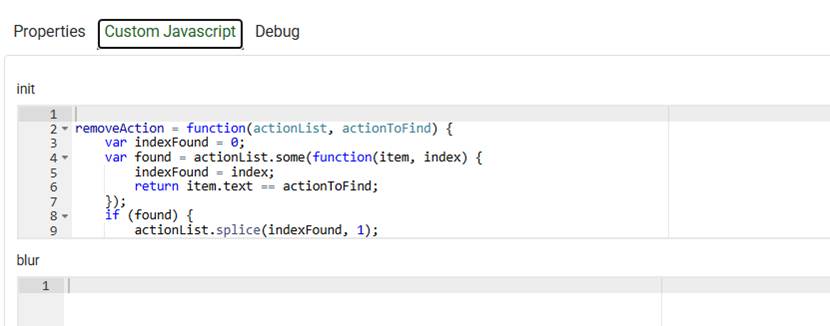
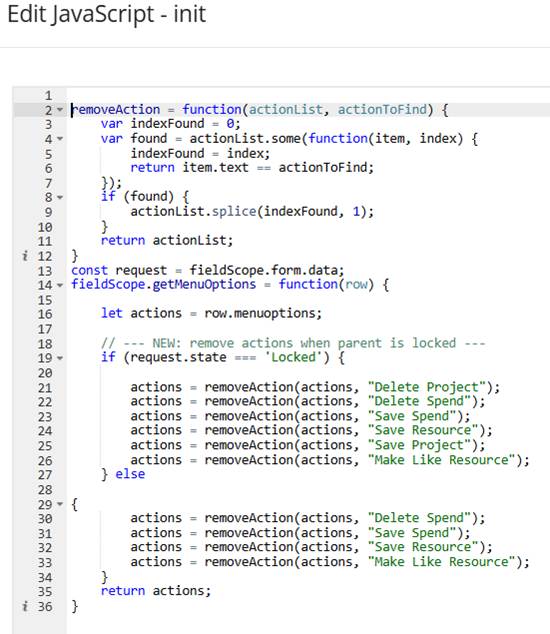
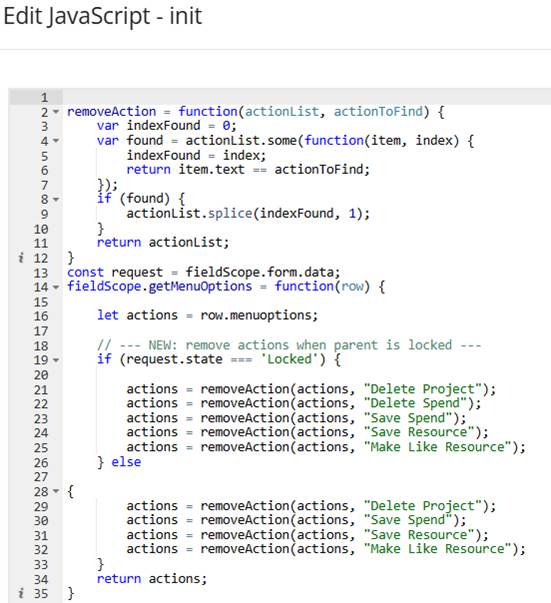
- In the init block of the Custom JavaScript, use fieldScope.getMenuOptions to access the actions to define which actions are allowed and under what conditions.
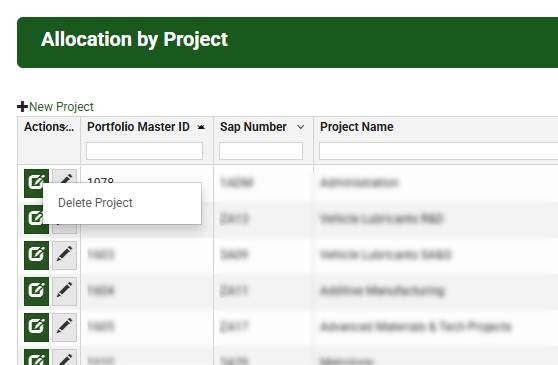
- In this example, all actions are disabled when fieldScope.form.data.state === 'Locked', and of the 5 subtasks actions available in workflow only "Delete Project" is allowed
See attached JavaScript example Remove Actions from Subtask Grid in Default Form.js
- Repeat the process for any additional subtask forms being used.
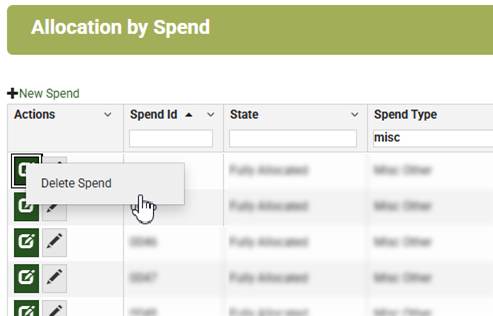
- Similar to the previous example, all actions are disabled when fieldScope.form.data.state === 'Locked', and of the 5 actions available in workflow for subtasks only "Delete Spend" is allowed.
Section 2 Remove Actions from Subtask Form
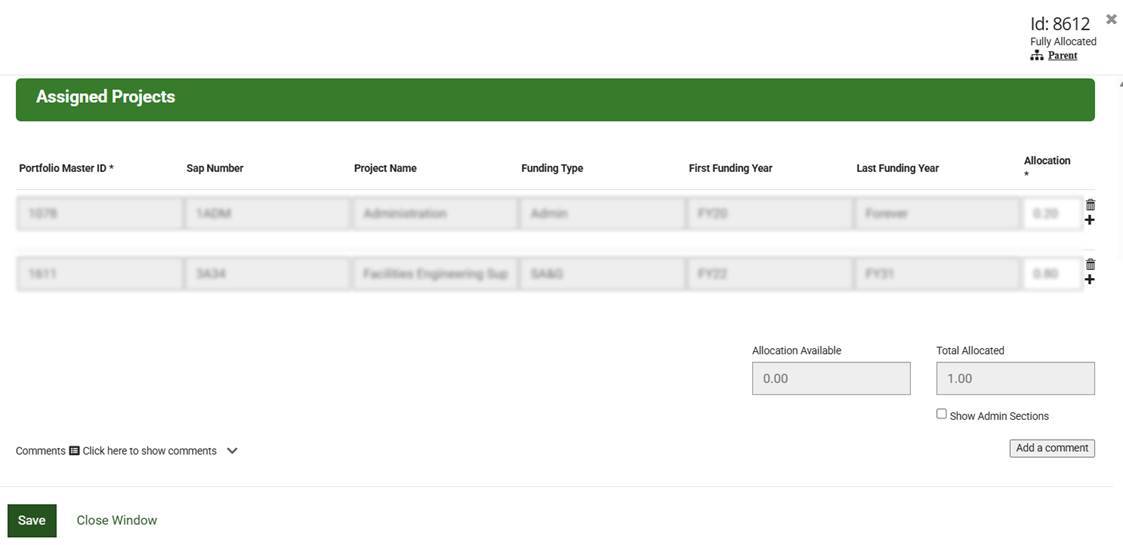
This step is not necessary, but in this example the Client requested actions to only be displayed in the subtask action grid of the Default form
- In the SubtaskDefault Form designer, open the Global JavaScript option.

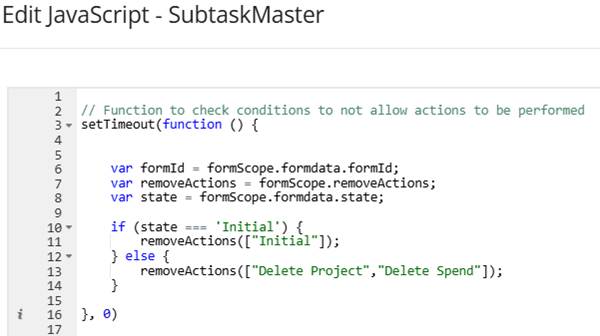
- In the Global JavaScript use formScope.removeActions to access the actions to define which are allowed and under what conditions.
Notes:
- This code will apply to all subtask forms.
- setTimeout(function () {…}, 0) will need to be used to allow removeAction to initialize before the form.data is displayed.
- It is also recommended to invoke setTimeout(function () {…}, 0) as close to the top of the Global JavaScript as possible, and to ensure you are only using one setTimeout(function () {…}, 0) in the entire Global JavaScript block
- In the example below, the action "Initial" is not allowed when the state === 'Initial'. Else "Delete Project", "Make Like Resource", "Delete Spend" are all removed only allowing "Save" to be displayed in the form.
See attached JavaScript example Remove Actions from Subtask Form.js
Code:
removeAction = function(actionList, actionToFind) {
var indexFound = 0;
var found = actionList.some(function(item, index) {
indexFound = index;
return item.text == actionToFind;
});
if (found) {
actionList.splice(indexFound, 1);
}
return actionList;
}
const request = fieldScope.form.data;
fieldScope.getMenuOptions = function(row) {
let actions = row.menuoptions;
// --- NEW: remove actions when parent is locked ---
if (request.state === 'Locked') {
actions = removeAction(actions, "Delete Project");
actions = removeAction(actions, "Delete Spend");
actions = removeAction(actions, "Save Spend");
actions = removeAction(actions, "Save Resource");
actions = removeAction(actions, "Make Like Resource");
} else
{
actions = removeAction(actions, "Delete Spend");
actions = removeAction(actions, "Save Spend");
actions = removeAction(actions, "Save Resource");
actions = removeAction(actions, "Make Like Resource");
}
return actions;
}
Code 2
// Function to check conditions to not allow actions to be performed
setTimeout(function () {
var formId = formScope.formdata.formId;
var removeActions = formScope.removeActions;
var state = formScope.formdata.state;
if (state === 'Initial') {
removeActions(["Initial"]);
} else {
removeActions(["Delete Project","Delete Spend"]);
}
}, 0)
Was this article helpful?
That’s Great!
Thank you for your feedback
Sorry! We couldn't be helpful
Thank you for your feedback
Feedback sent
We appreciate your effort and will try to fix the article